Your Entire QA & Responsive Testing Toolkit. Inside One Active Tab.
Stop toggling viewports. Preview, inspect, and debug your website across devices — all without leaving your current tab.
Free to install · No account required
Features
Everything you need to test, inspect, and ship — in one place
SenangLab bundles responsive previews, element inspection, accessibility checks, and SEO audits into one browser extension, so you can move faster with tools designed for efficiency and accuracy.
Cross-Frame Interaction
Navigate every device view simultaneously — scroll, click, and hover sync across all frames at once.
Visual Style Inspector
Inspect elements, edit CSS live, and view interactive box models.
WCAG Accessibility
Check contrast, simulators, and landmark issues to ship inclusive experiences.
SEO Audit & AI Prompts
Scan tags, calculate SEO scores, and export AI prompts to fix issues.
Preset Device Library
Access 50+ presets and unlimited custom dimensions.
Screenshot & Export
Capture full-page screenshots as a single PNG or copy to clipboard.
In Depth
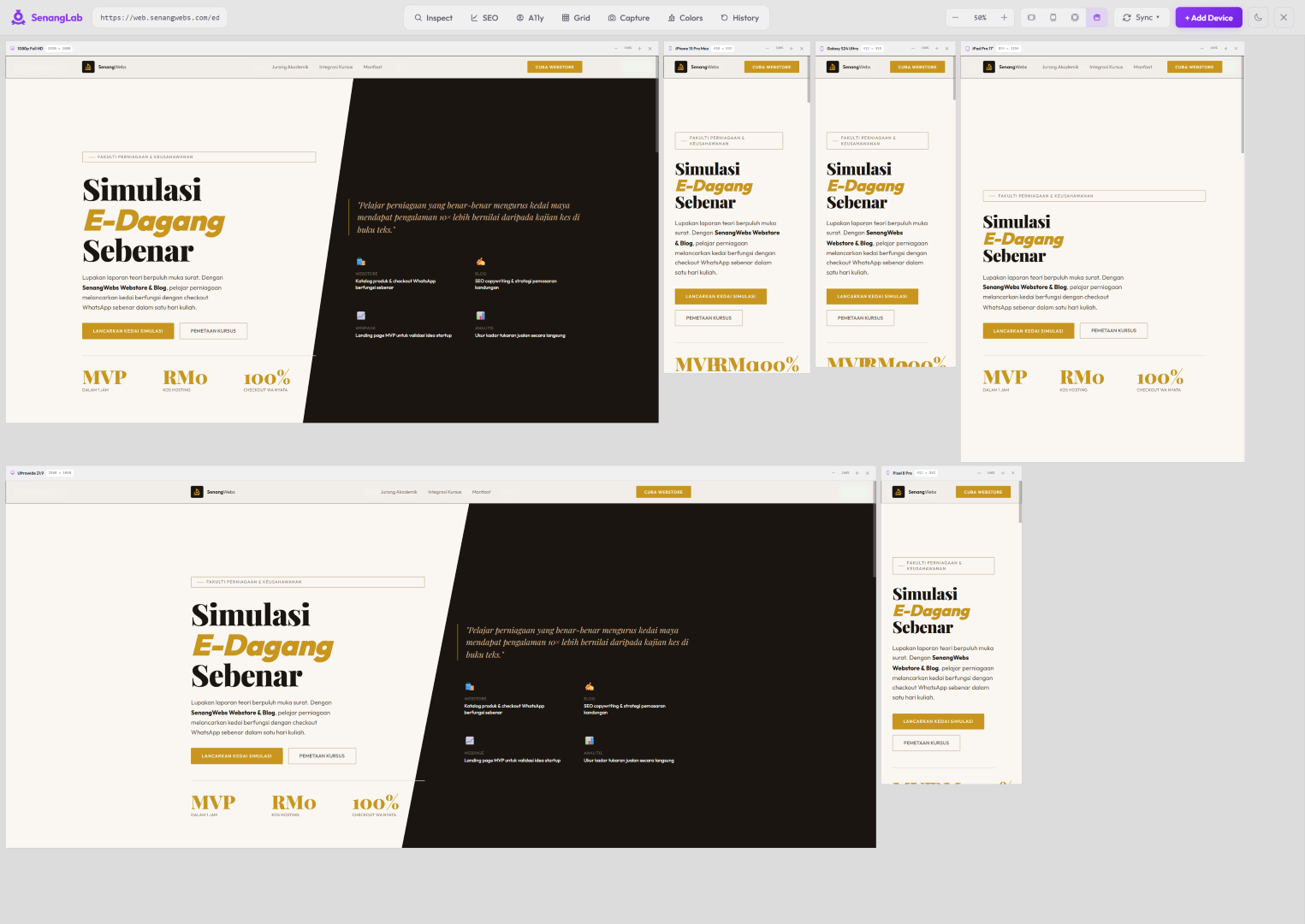
Preview and debug your website's responsiveness across multiple devices — from one tab
Test on every device, at once
- Preview live screens of your pages in dozens of viewports and interactions simultaneously via synced scrolling and cross-frame interaction.
- Toggle alignment guides and overlaysin any device view to instantly verify alignment, spacing, and layout consistency.
- Export full-page screenshotsas a single PNG or copy to clipboard for documentation and handoffs.
Edit any element without opening DevTools
- Click any element to instantly surfaceits colors, sizes, margins, and padding in a clean visual breakdown.
- Adjust properties with hover and scrub inputs,see changes reflected instantly across every device view with live values.
- Track every CSS and content edit in the Activity tab;your full history lives in one place for effortless review and rollback.
Fix SEO issues in a few clicks
- Surface key on-page SEO data— meta titles, descriptions, heading hierarchy, image alt text, and canonical tags — all in one glance.
- Run SEO scoring with actionable recommendationsand export AI-ready prompts so you can fix issues with your favorite AI assistant.
- Export findings directlyto PDF, CSV, or clipboard — share insights without context switching.
Check how your site looks and reads for everyone
- Run WCAG accessibility checks— contrast ratios, landmarks, and ARIA issues surfaced with clear guidance on how to fix them.
- Use color blindness simulations and text spacing overridesto check readability and visual comfort in real time.
- Catch issues early,not after launch — build inclusivity into your process from day one so everyone can use your site.
Use Cases
Who is SenangLab for?
Web Developers
Debug, test across devices, and inspect live CSS without juggling multiple tools.
UI/UX Designers
Verify design fidelity, live edit CSS, inspect viewports, and sync layouts.
Accessibility Specialists
Run WCAG audits, test typography, and check readability with color blindness simulations.
SEO Analysts
Analyze meta tags, heading structures, and image alt text; check URLs and export reports (JSON, CSV).